Forum Replies Created
-
AuthorPosts
-
>Its beter if your Plugin have a separat SQL Table….
no, it is not
short answer , you can’t (most definitely not if you do not want to copy any options set in the wp-options table)
long answer: wppizza menu items and categories are “normal” WP post types and taxonomies. if you export those (tools -> export) and re-import them elsewhere, their id’s will change.
As – especially the ingredients plugin – ties its settings to those id’s it will all break as they will be different.
Furthermore, the sizes, additives and a bunch of other things are also stored in the wp-options table, so importing wppizza menu items / categories , will also result in your menu items not having any sizes (and therefore prices) if the options set are not copied/moved with itThirdly, the plugin access rights are set via WP roles so – again – if you do not copy/clone the options table , you will probably mess those up too
essentially, if you want to move things elsewhere, you should clone your install (plenty of plugins for that on wordpress.org). At the moment, that is the only reliable way. Sorry
Sure , one day I will investigate as to how it might be possible to export/import, but due to the above mentioned issues, this is not trivial by any means and i cannot give you any ETA as to when this will be possible / available
ok, should be fixed as of 3.9.2 which should show up in your admin ->plugins in a bit as an update (assuming you have activated the licence)
>…So wppizza does not have its own registration form ?….
you are right. it does not. It uses standard wordpress filters/action hooks> …Can I use that form as registration form?…
registration is integrated there (if the user chooses to do so)>…Because the wordpress plugins for login do not cooperate with wppizza plugin….
then you are using a plugin that is doing it wrong. use another one.
(for example https://wordpress.org/plugins/theme-my-login/)if someone is logged in, it will “fill in” the known fields. there is no need to disable fields for registered users (make sure you enable the fields as required in wppizza->order form settings)
ok
i did not actually test that over the weekend.
i’ll look at it . assuming you are right, i am somewhat surprised though that nobody has noticed that before ….anyway , will get back to you in a bit
This reply has been marked as private.you can set offers (i.e discounts) of that kind with this
https://support.wp-pizza.com/downloads/wppizza-coupons-and-discounts/
i.e apply discount of x if pickup , otherwise do not apply discount…i have no idea what exactly it is that is removing version numbers on your site.
it’s your site with your chosen themes and plugins.all i CAN tell you, is that no wppizza plugin removes version numbers (in fact it deliberately adds them to precisely eliminate the problem you are/were having )
so, now i am looking at the right input field (doh, sorry) it seems like it’s in fact correctly saving to the db, but not displayed when set to 0 in the admin .
i’ll fix that in an update.
for now, please do the following:
in admin.echo.get_delivery_areas.inc.php on apprx line 50 you will find$value=!empty($options[$field][$k]['charge']) ? wppizza_output_format_price($options[$field][$k]['charge'],$optionsDecimals) : '';REPLACE this with
$value=isset($options[$field][$k]['charge']) ? wppizza_output_format_price($options[$field][$k]['charge'],$optionsDecimals) : '';(i.e the !empty becomes isset )
once you have done that, let me know if that fixes things…
let me check a few things here, i believe i may have been looking at the wrong input field
i already told you
you dont add anything but remove whatever plugin/filter/script removes the version numbers from your loaded resources.
the (probable) “bug” is that you are omitting version numbers from your resources (styles / js etc)
which is never a good idea for many reasonsno bug here from what i can tell (and if it were i ‘m sure i would have heard about it before)
i am using chrome ……
i dont know what it is you are seeing, but if i goto
http://pizza-munot.ch/unsere-speisekarte/hamburger/ -> gold burger
it’s 27 , not zero as totalprice (with or without a sauce selected)see ingredients -> options [TAB] : *Added* ingredients display options.
however, if the TOTAL is zero, then it’s zero – entirely depends on your setup there and what prices are for your individual ingredients or the base menu item price to start off with ( i know nothing about your setup )
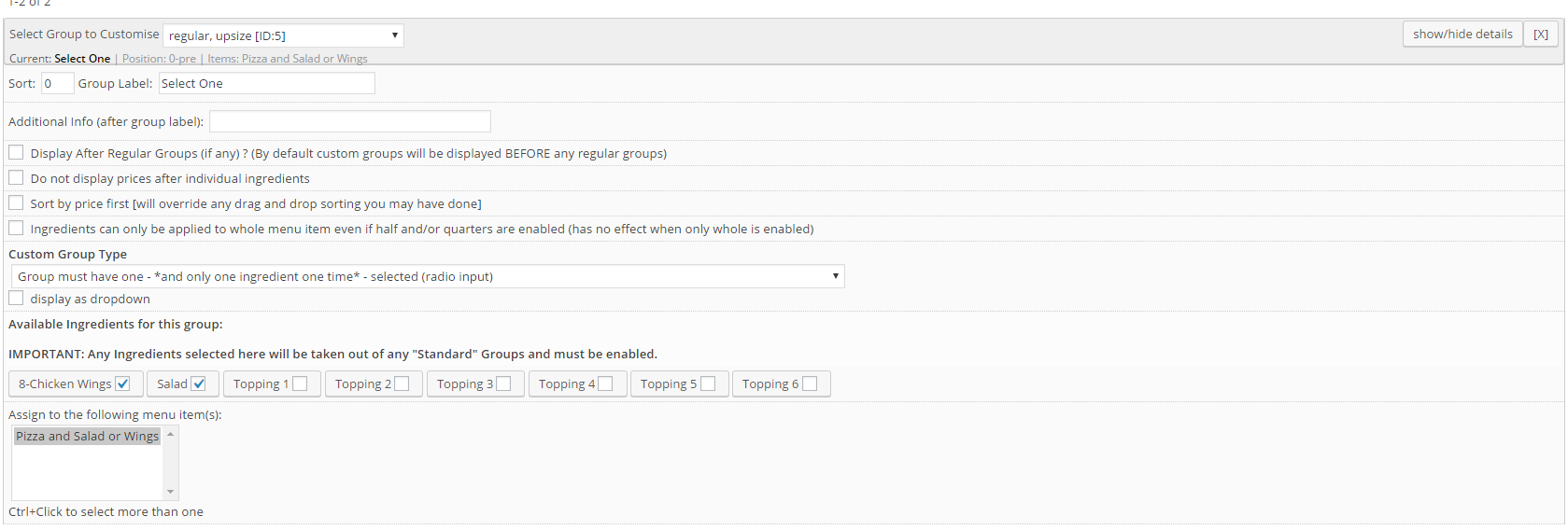
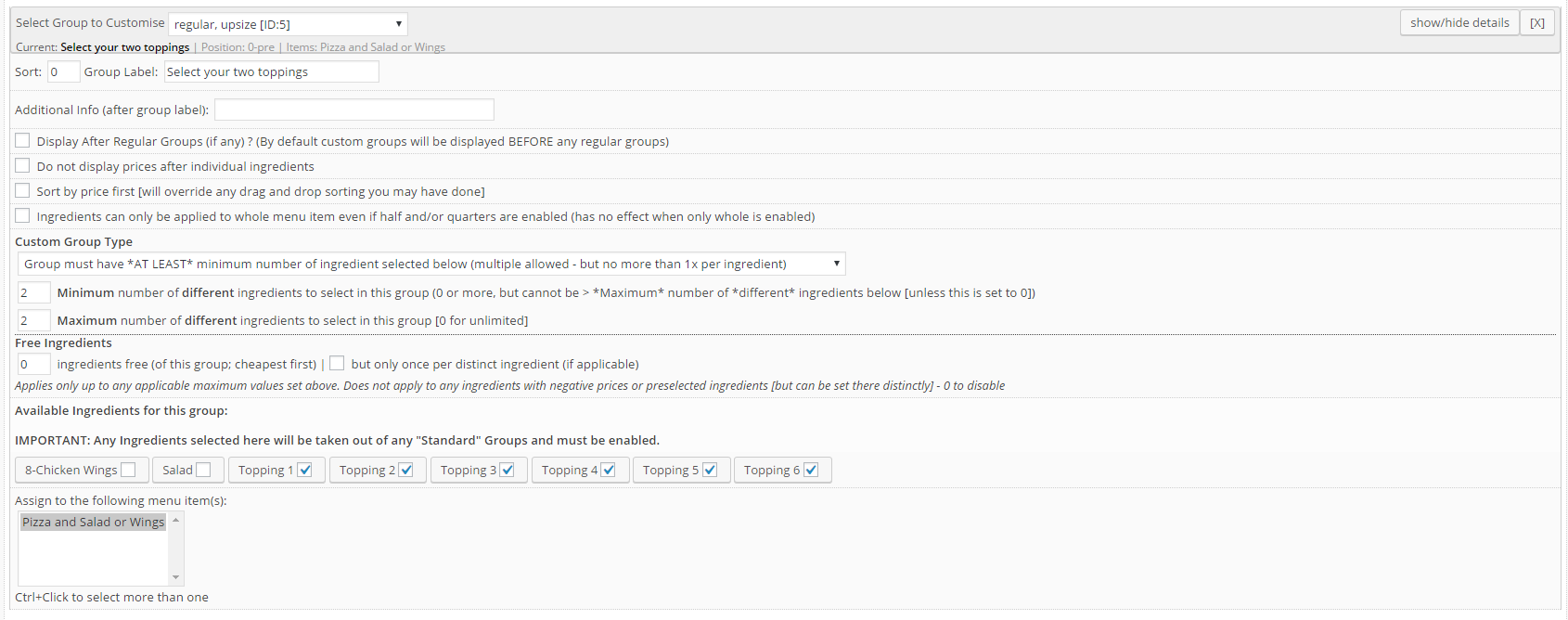
you will need two custom groups
see screenshotscustom group one – select salad or wings
custom group two – select two topping
adjust as required of course
the following extension is designed for this sort of thing
https://support.wp-pizza.com/downloads/wppizza-add-ingredients/This reply has been marked as private.>If that was the problem I should not be able to set ….
probably, but if – for some reason – some other vars change and you might therefore run out of max vars, it could have been an issue. Alas at 1000 post vars, you should be just fine here. so the problem is elsewhere.
as i said, i can save 0 just fine here.
can you turn on debug please and see if you get any info from there ? -
AuthorPosts