Forum Replies Created
-
AuthorPosts
-
wont need any testing your end. (most likely. not today anyway)
i will try and fix this somehow and release an update which you can just do when it shows up in your plugin page (assuming you have the license activated)so…..
i just managed to upgrade to php 7.1 and now get the same error too
will just need to find out why that could possibly be (and if there’s a way to fix this)will let you know when i know
This reply has been marked as private.This reply has been marked as private.This reply has been marked as private.there is currently no (simple) way to add custom/dynamically generated attachments to an email
that action hook runs after everything is said and done (i.e after mails have been sent)
you could of course just send another simple email with/after that hook, attaching your file
(you probably want to also name that file using the orderId as prefix/suffix )This reply has been marked as private.This reply has been marked as private.actually, i believe (try that at least) i know where the problem is
you are using shortcode[wppizza category=’!all,-pizza,-snacks,-desserts,-salades,-pasta,-speciale-aanbiedingen’]
however you have no categories
pizza
snacks
dessertsetc etc
(i can probably do something about accounting for this in an update , however, at th emoment you cannot exclude categories that do not exist)
This reply has been marked as private.This reply has been marked as private.also the output of wppizza->tools : system info please (you can set that as a private reply if you wish )
first of all, i need the version numbers of wppizza and wppizza add ingredients you are using – and/or (preferably also ) a link to you site
that’s pretty much what this enables
https://support.wp-pizza.com/downloads/wppizza-add-ingredients/
see demos
https://support.wp-pizza.com/twentytwelve/
https://support.wp-pizza.com/twentytwelve/our-menu/user/
(alongside other things)then again, maybe you could just re-think your menu items setup and split the whole thing into 2 distinct menu items….that’s entirely up to you of course and I cannot make that decision for you
as you are using a premium wordpress theme, i cannot help you as i have no way of installing this here and see what might be the issue
however, have you followed the steps here
https://support.wp-pizza.com/topic/things-to-do-on-first-install/under option 2 ?
(i.e the bit where you are supposed to copy page.php etc etc )you are not using the grid option…
> If you have to register all ZIP codes within “delivery options”, this will be done manually and it will not make sense to use google maps, do you agree?
(i think i know now what you mean, so ……. kind of. depends on settings , as you can do partial postcodes etc
however, the most reliable way – without a doubt – will be to enter the postcodes you want/need without using gmapthe whole partial thing is for situations where the postcodes in a particular country are a mess and do not follow any particular rhyme or reason (as is the case in many unfortunately)
not sure i understand.
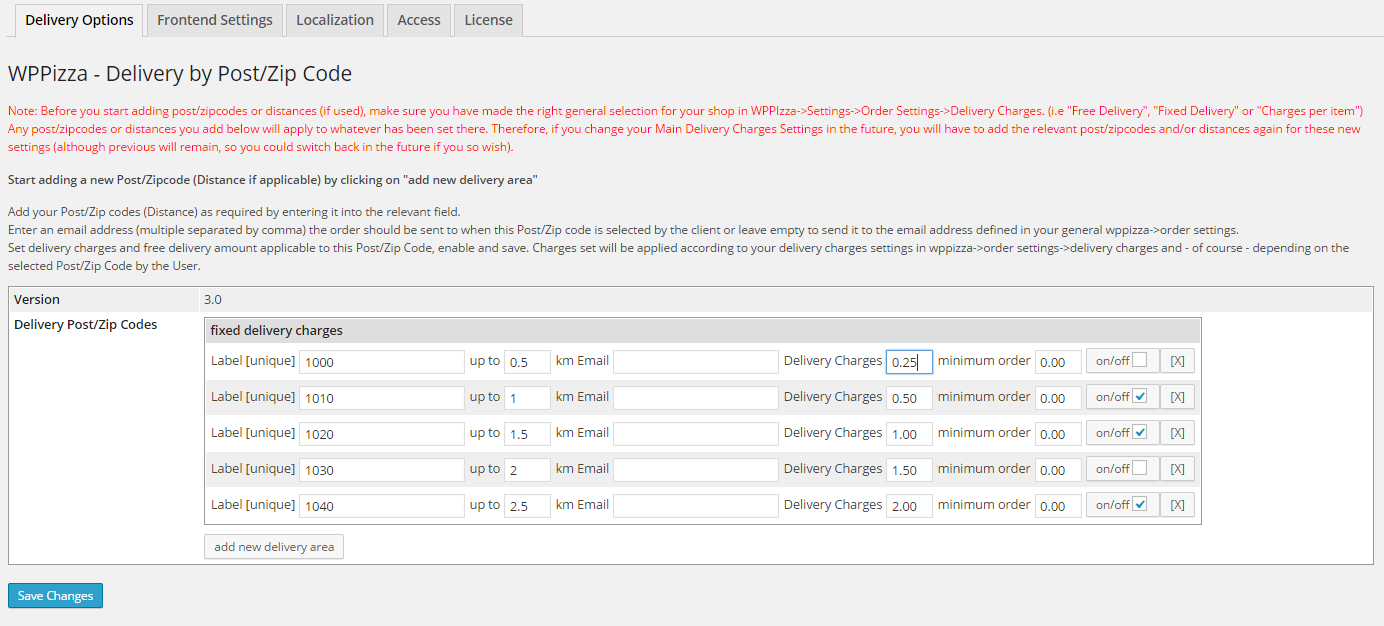
essentially it’s either zip/postcodes OR distance . not both
prices are entered here
https://support.wp-pizza.com/wp-content/uploads/2014/12/wppizza-dbp-delivery.png
depending on your settings, this will look slightly differentwithout a link to your site, i cannot tell you anything
-
AuthorPosts