Forum Replies Created
-
AuthorPosts
-
right then , as of v4.5 you can now do this (might need some tweaking depending what exactly you need and how exactly you want this setup, but it should give you the idea)
please note – as of v4.5+ :
although this filter is still part of the plugin/extension (in case you want to do something really funky) if you want to custom sort the order of ingredients the way you like, you can now just drag and drop to get the order you desire….there you go
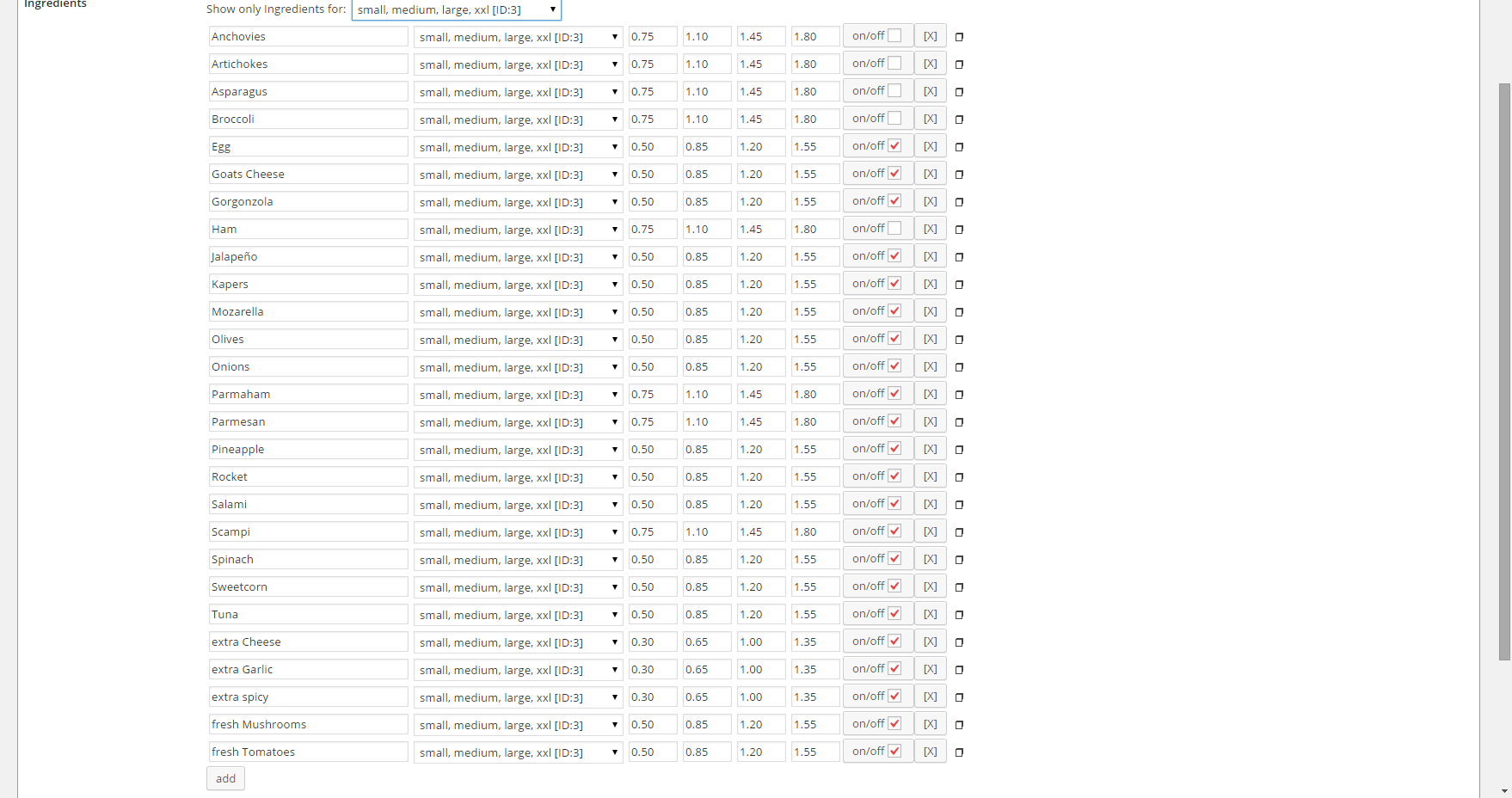
a) a bunch of ingredients
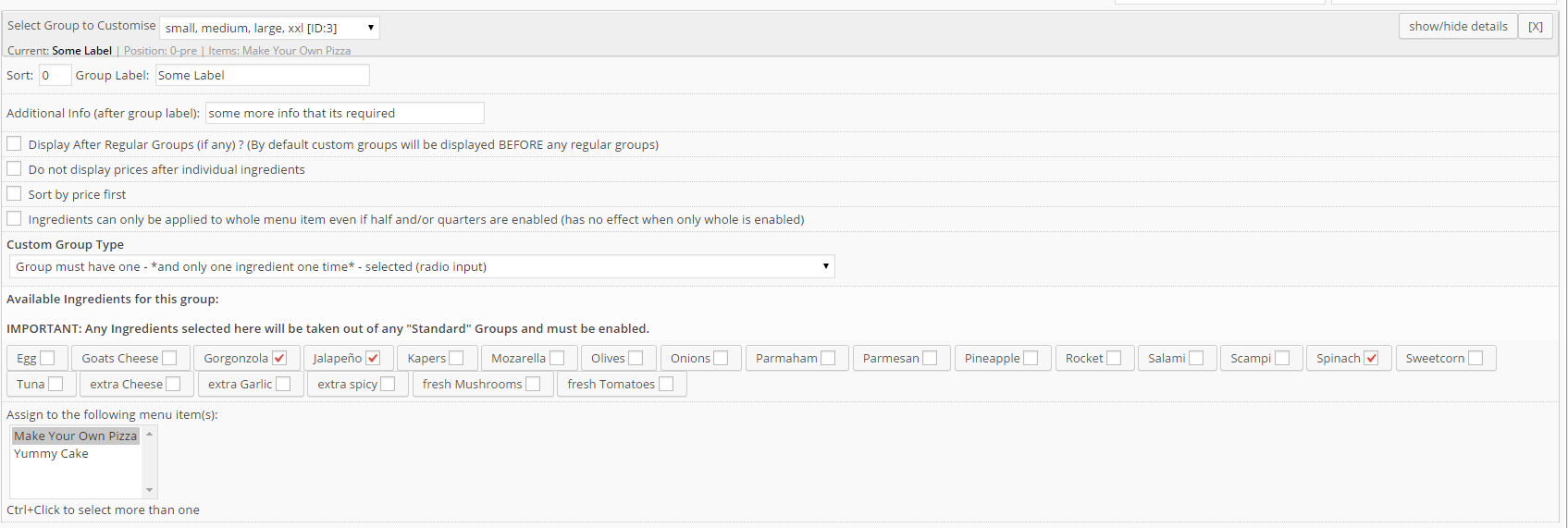
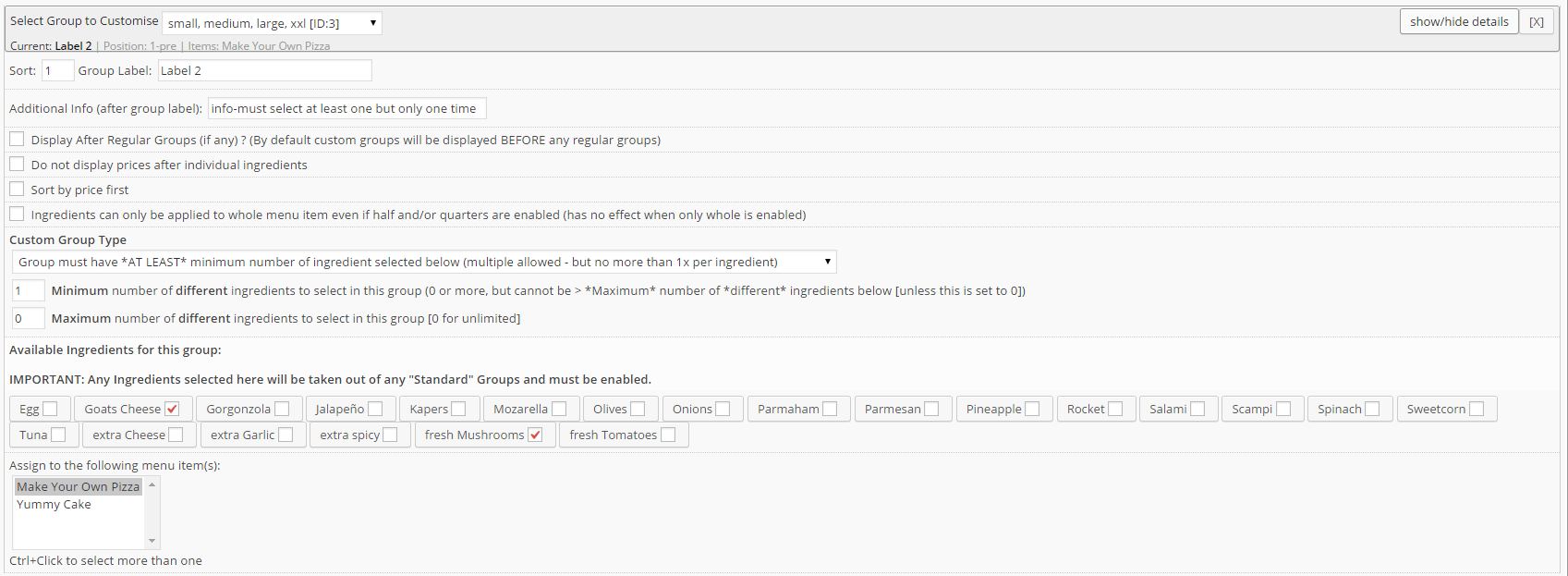
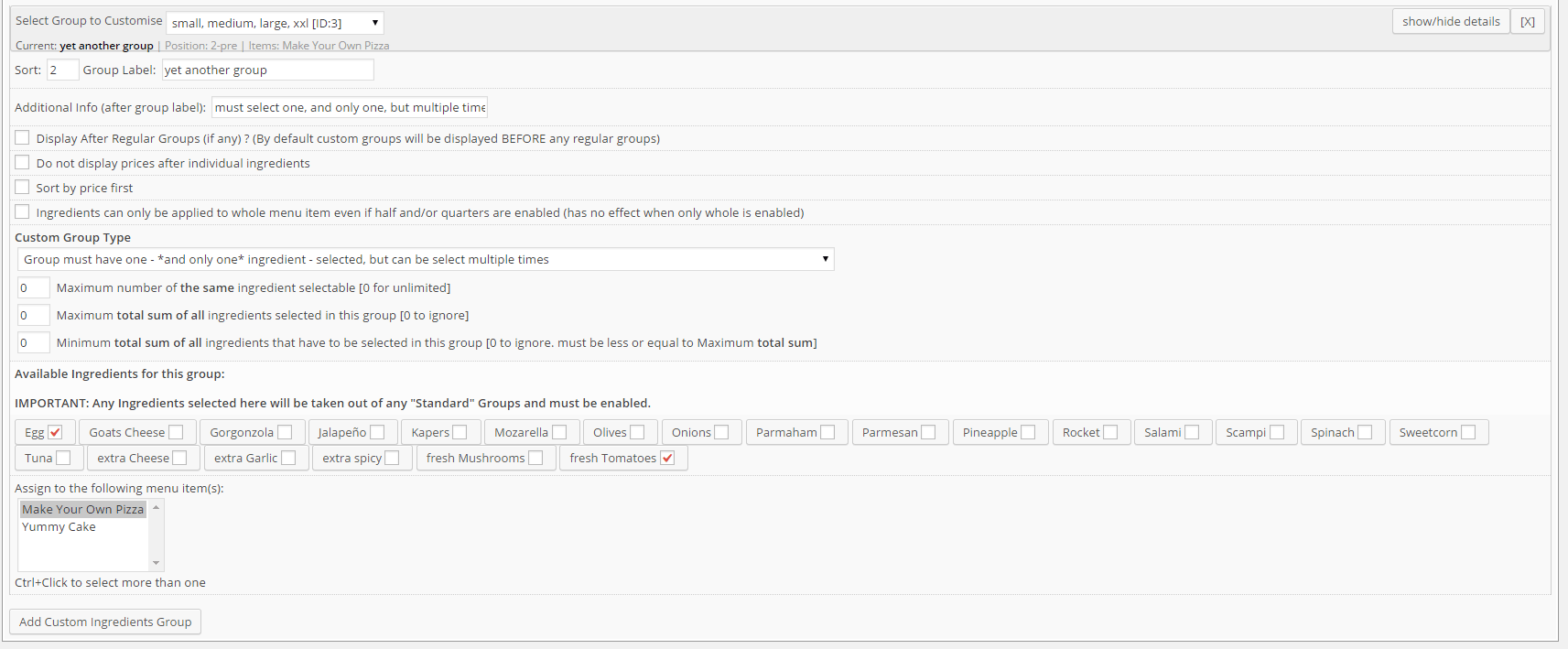
ingredientsb) custom group 1,2 and 3
group 1
group 2
group 3c) outcome
https://support.wp-pizza.com/twentytwelve/ -> make your own pizza>Thanks for looking into this.
no problem, was kind of fun
and if you have way too much time on your hands, you could,
with some css, even change the + to a – as those symbols are actually css controlled and all have their distinct id’s on the li wrapper>So they would click on an ADD button to say they don’t want something on the sandwich.
matter of opinion i guess. they are just clicking on a button that has a label next to it saying “no cheese” so the are effectively adding the “no cheese” option
I cannot really see this as being an issue or confusing .
and if you set the label of that group to something descriptive (like “select the things you dont like” or something it should be even more obvious>… there is no need to repeat the pre-selected ingredients for each sandwich as the restaurant knows these….etc
hence why my suggestion would work nicely. only changes would appear if nothing’s added or removed its just the menu item title. no preselection necessary.
so, whilst currently adding some other options to that extension, I also had a think about whether it would be possible (or advisable) to integrate something that let’s you do this sort of thing you mentioned.
In short, although this would most likely be doable programmatically it would just confuse the hell out of people (and that’s not only the admin who would have to set this up but customers too I think)
It did however occur to me, that there is actually quite an easy answer to this I believe
As i understand it a “smos hesp & kaas” has the following
lettuce, tomato, cucumber, sliced egg and mayonnaise – and in this case cheese too.
so , as a customer if i want one of those i don’t expect to actually have to add those ingredients/toppings myself (otherwise it would just be some bread and I choose what i want on it)
so instead of preselecing things (which then would appear in this list of added toppings which as a customer would confuse the hell out of me ) I would make a list of DE-selecting things.
so add the following ingredients
no lettuce,
no tomato,
no cucumber,
no egg
no mayonnaise
no cheeseset the prices for those to zero (hey , you could even make them negative if it’s supposed to become cheaper if you omit some)
then put those in a group naming it “dont want these ?” (or something)
select the following group type:
“Group must have *AT LEAST* minimum number of ingredient selected below (multiple allowed – but no more than 1x per ingredient)”set minimum and maximum to 0
and then assign it to the “smos hesp & kaas” menu item
now only when a customer selects one of these (i.e says “no cheese” for example) will it show up in the list of “added” ingredients as “no cheese”…..
PS: i would also assume that the menu item itself in the description already states that it has lettuce,tomato,cucumber,egg ,mayonnaise and cheese , just like any dedicated pizza napoli for example says :olives, tomatoes , mozarella etc (or whatever belongs onto a pizza napoli)
> Is there a way to do this?
out of the box so to speak: no (not at the moment anyway)
however , you could use some filters and action hooks
these 2 in combination https://support.wp-pizza.com/topic/filter-options/ should let you do that
you would probably have to dynamically set this $option “order_pickup” in the “wppizza_filter_order_summary_options” filter dynamically as well as deciding what to do depending on what items the user has added to the cart(session) with this filter “wppizza_filter_order_summary_session”
all fine and working here…
by the way , you can probably just ignore what i said about that script above
probably was just an overlap in between you clearing the cache and me taking out that script and it suddenly working> Did you just remove an insert
i didnt do anything (other than trying to figure out what the deal is)
i assume it was a caching issue (my best guess here)nothing wrong with caching things (in fact i’m all for it) but you should really clear any caches after plugin updates (in fact the caching plugin should actually alert you to that fact)
now i see you cleared the cache , seem to work fine now , no ?
ok, your issue seems to be here:
something somewhere inserts this (i’ll have a look in a minute why that may be , but just posting this first):
<script>
		var getElementsByClassName=function(a,b,c){if(document.getElementsByClassName){getElementsByClassName=function(a,b,c){c=c||document;var d=c.getElementsByClassName(a),e=b?new RegExp("\\b"+b+"\\b","i"):null,f=[],g;for(var h=0,i=d.length;h<i;h+=1){g=d[h];if(!e||e.test(g.nodeName)){f.push(g)}}return f}}else if(document.evaluate){getElementsByClassName=function(a,b,c){b=b||"*";c=c||document;var d=a.split(" "),e="",f="http://www.w3.org/1999/xhtml",g=document.documentElement.namespaceURI===f?f:null,h=[],i,j;for(var k=0,l=d.length;k<l;k+=1){e+="[contains(concat(' ', @class, ' '), ' "+d[k]+" ')]"}try{i=document.evaluate(".//"+b+e,c,g,0,null)}catch(m){i=document.evaluate(".//"+b+e,c,null,0,null)}while(j=i.iterateNext()){h.push(j)}return h}}else{getElementsByClassName=function(a,b,c){b=b||"*";c=c||document;var d=a.split(" "),e=[],f=b==="*"&&c.all?c.all:c.getElementsByTagName(b),g,h=[],i;for(var j=0,k=d.length;j<k;j+=1){e.push(new RegExp("(^|\\s)"+d[j]+"(\\s|$)"))}for(var l=0,m=f.length;l<m;l+=1){g=f[l];i=false;for(var n=0,o=e.length;n<o;n+=1){i=e[n].test(g.className);if(!i){break}}if(i){h.push(g)}}return h}}return getElementsByClassName(a,b,c)},
			dropdowns = getElementsByClassName( 'dropdown-menu' );
		for ( i=0; i<dropdowns.length; i++ )
			dropdowns[i].onchange = function(){ if ( this.value != '' ) window.location.href = this.value; }
	</script>
if i take this out , it works just fine…..
the update should not have affected anything on that front ( i downgraded here to the version you have and there are no ill effects)
can you turn off the caching for the moment and let me know when you have done so ? (will at least circumvent one possible issue – although this shouldnt have anything to do with it , but worth a shot for starters)
also , which version did you update from btw ? (if you remember)
looking at it.
throws a javascript error, but right now not sure where its coming from
(says something likeUncaught TypeError: object is not a function
somewhere here it seems(function(term
/**/) {
return wppizzaCartCommentToggle(term);
})not sure why (did you add/edit any js anywhere ?
could you also – at least once now – clear the cache on that page ?good stuff
feel free to post a review though :)
i could do with some more (positive ones of course)not really, no
are you sure you added it to the right functions.php file ?ps: why did you mark your question as private ???
>Thanks a lot, and I will have a try.
by all means of course, but if you give me a couple more days (just testing an additional option to make sure nothing else breaks) i’ll release an update and show you how you could set this up with your original requirements
-
AuthorPosts